Reminderly.ai vs Tasks.Bot for Conditional Logic Automation
Conditional logic breaks the moment your team leaves the desk. If approvals, reminders, and follow-ups only fire inside a browser tab, field staff on WhatsApp never see them until the job is already late. That gap is what separates task tools that automate from tools that just store lists.
This comparison walks through how Tasks.Bot handles conditional logic automation from inside WhatsApp, covering approvals, smart deadline reminders, voice note task creation, face-verified attendance, and GPS tracking. You will also see its pricing structure, beta status, and refund policy, so you can decide whether it fits a WhatsApp-first team or a field crew better than the alternative.
What Is Tasks.Bot? A WhatsApp-Native Task Platform
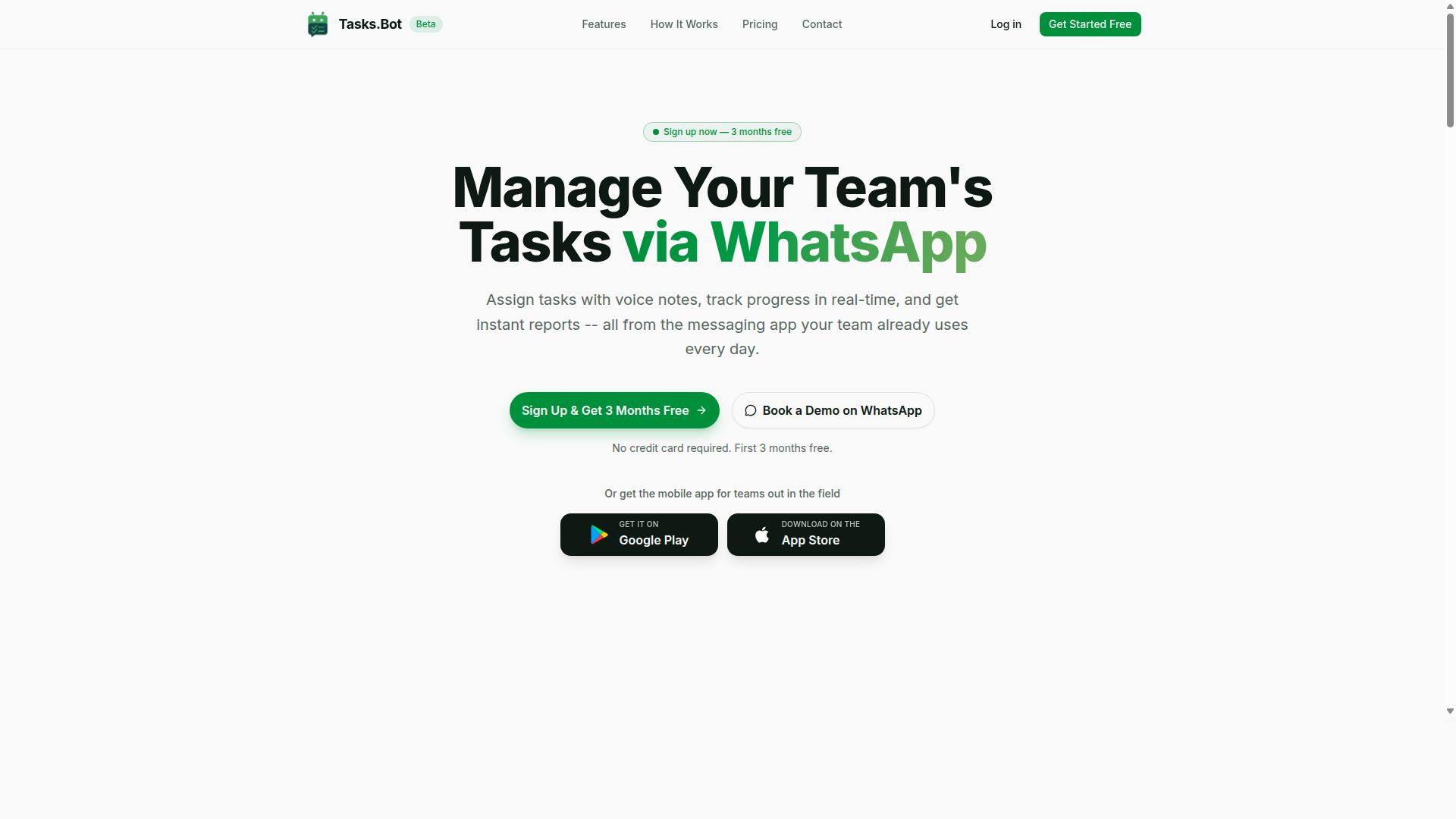
Tasks.Bot is a task management platform that operates entirely within WhatsApp, enabling teams to assign tasks, track progress, and receive reports without leaving the messaging app. Instead of asking people to learn yet another dashboard, it meets them in the chat tool they already open dozens of times a day.
The core idea is zero adoption friction. Team members do not need to install new software or create separate accounts, because everything happens inside WhatsApp itself. A task can be handed out, acknowledged, updated, and closed out in the same thread where normal conversation takes place.
Tasks.Bot also offers a mobile app for field teams, which pairs the convenience of WhatsApp with dedicated tools for attendance and task tracking. That combination matters for anyone coordinating people who are not sitting at a desk.
For readers comparing automation options, this architecture is the key distinction. Platforms built around a rule engine and a web dashboard assume people will log in. Tasks.Bot assumes they will not, and designs around that reality.
The service is currently in beta and offers a free trial period, so teams can evaluate whether a WhatsApp-first approach fits how they already work. Later sections examine how this model handles conditional logic, if-then rules, and trigger-action pairs compared with alternatives.
Who Tasks.Bot Serves: WhatsApp-First Teams and Field Staff
Tasks.Bot is designed for teams that rely on WhatsApp for communication, particularly those with field staff who need to manage tasks, track attendance, and log hours. These are groups where the chat app is not a side channel. It is the primary operating system for the workday.
Their pain points tend to cluster around a few recurring problems:
- Tasks get assigned verbally or in chat and then quietly disappear
- Attendance and hours live in someone's memory or a paper log
- Progress updates arrive as scattered messages that nobody consolidates
- Payroll preparation turns into a manual reconstruction exercise
Tasks.Bot addresses these needs directly through task assignment, progress tracking, and payroll-ready hours, all captured where the conversation already happens. Because the data is structured inside the platform rather than buried in free text, it stays usable for reporting instead of dissolving into scrollback.
The field team mobile app extends this to workers who need dedicated tools beyond chat, covering attendance and task tracking in a form suited to people on the move.
According to the brand, hundreds of teams already use the service. That adoption base suggests the WhatsApp-native model resonates with organizations that have tried traditional project management tools and found them too heavy for frontline staff.
If your team coordinates remote or mobile workers and WhatsApp is already the default channel, you are squarely in the audience this platform was built for. The next section looks at how conditional logic and workflow automation fit into that picture.
How Tasks.Bot Handles Conditional Logic Automation
Tasks.Bot implements conditional logic automation through a rule engine that supports if-then rules, trigger-action pairs, and complicated processes, all managed within WhatsApp. Instead of asking teams to learn a separate automation platform, it turns routine coordination into simple instructions the system can act on.
Conditional logic automation means a task or message moves forward based on what happens before it. A completed step can unlock the next one. A missed deadline can trigger an escalation. This is the core idea behind dependency chains and branching logic in workflow automation.
What makes Tasks.Bot different is where this logic lives. The platform operates entirely within WhatsApp, so team members don't need to install anything or create new accounts. There is no separate dashboard to check, no chatbot integration to configure, and no coding required. Users describe what they want in natural language, and the AI understands the intent behind the message.
This matters for adoption. When the automation layer sits inside a messaging app people already use, the barrier to setting it up drops sharply. Field staff, managers, and coordinators can all work from the same thread.
The following sections break down how this plays out in practice, covering approvals and automations, smart deadline reminders, and the natural language and voice note tools that feed the whole system.
Approvals, Automations, and Smart Deadline Reminders
Tasks.Bot streamlines approvals and automations by allowing teams to set up complicated processes where task completion triggers the next action, such as sending a reminder or escalating to a manager.
An approval step works like a gate. A task can require manager sign-off before it proceeds, so nothing moves forward until the right person confirms it. This keeps accountability attached to the workflow rather than to someone's memory.
Automations handle the follow-through. Common trigger-action pairs include:
- If a task is not completed by its deadline, then notify the supervisor.
- If an approval is granted, then assign the next task in the sequence.
- If a task is marked done, then send a confirmation to the requester.
- If a deadline passes without action, then escalate the reminder to a higher level.
Smart deadline reminders are the time-based side of the same engine. Tasks.Bot sends reminders based on task due dates and escalates when something runs overdue. That combination of time-based triggers and event-based triggers is what turns a simple to-do list into real follow-up automation.
The practical effect is less manual chasing. Managers stop sending individual nudges because the escalation rules already handle it. Teams get a consistent record of who was asked, when, and what happened next, which improves deadline tracking across the board.
The service also includes face-verified attendance and live GPS tracking for field staff, so approvals and task completion can be tied to verified presence on site. For teams managing remote or mobile workers, that closes a gap that pure reminder tools tend to leave open. Enterprise-grade encryption protects the underlying data, and conversations and task data are never shared or used for training.
Natural Language and Voice Note Task Creation
Tasks.Bot leverages AI to understand natural language and voice notes, enabling users to create tasks by simply sending a message or voice note in WhatsApp.
A user can type something like "Remind John to submit the report by Friday," and the platform automatically creates the task, assigns it, and sets a deadline. The AI parses the who, the what, and the when from ordinary phrasing. No forms, no dropdown menus, no structured fields to fill in.
Voice notes matter just as much for teams on the move. Field staff who would rather speak than type can send a voice message and get the same result. This is where task management meets real working conditions, because the fastest way to log something is the way the person already communicates.
The friction reduction is the point. Every extra step between noticing a job and recording it is a chance the task never gets written down. By accepting plain language and voice, Tasks.Bot shortens that gap to a single message.
Because this runs inside WhatsApp automation, the entry point is already familiar. Team members don't need training on a new productivity tool, and there is no separate app to open before a task can be captured. The Android and iOS apps add push notifications, voice capture, and a home screen widget for those who want quicker access, while the core experience stays in the chat thread.
Once tasks are created this way, they feed directly into the same rule engine described above, so a casually dictated instruction can still carry approvals, escalations, and reminders behind it. Tasks.Bot offers a 3-month free trial with no credit card required, which gives teams room to test how natural language and voice capture fit their daily routine before committing.
Key Features and What Makes Tasks.Bot Stand Out
Beyond conditional automation, Tasks.Bot offers a suite of features tailored for field teams, including face-verified attendance, GPS tracking, instant reports, and payroll-ready hours management. These capabilities sit on top of its core task management engine, which runs entirely inside WhatsApp.
That last point matters more than it first appears. Because Tasks.Bot operates within WhatsApp, team members don't need to install anything or create new accounts. A field technician, a delivery driver, or a site supervisor already has the app. There is no onboarding friction, no forgotten passwords, and no separate login to chase.
The platform also uses AI to understand user intent, which means tasks can be created from natural language messages and voice notes. A manager can send a voice message and let the system turn it into an assigned task with a deadline, rather than typing out a structured form. Android and iOS apps add push notifications, voice capture, and a home screen widget for people who want a native experience alongside the chat interface.
What separates Tasks.Bot from a generic task manager is the combination of workflow automation and field accountability. Deadline tracking, smart reminders, approvals, and automations handle the follow-up work that usually falls to a human. Meanwhile, attendance verification and location tracking cover the physical side of operations that most productivity tools ignore entirely.
All of these features are included in the Full Access plan, with no tiers or feature gating. Teams do not have to guess which tier unlocks attendance verification or whether GPS tracking costs extra. Enterprise-grade encryption protects the data, and conversations and task data are never shared or used for training.
Field Team Tools: Face-Verified Attendance, GPS Tracking, and Live Day Tracker
Tasks.Bot equips field teams with tools like face-verified attendance, GPS tracking, and a live day tracker to ensure accountability and real-time visibility. Each one addresses a different question a manager would otherwise have to ask by phone.
Face-verified attendance uses facial recognition to clock staff in and out. This removes the most common weakness of field attendance: relying on a colleague to mark someone present. The verification ties the check-in to a real person at a real moment.
GPS tracking confirms location during task execution. When a technician reports that a job is complete, location data supports that claim rather than leaving it as an unverified statement.
The live day tracker shows real-time progress of field staff across the working day. Managers can see where the team stands without interrupting anyone with a status call.
These tools connect through WhatsApp and the mobile apps, so the same channel used for task assignment carries the attendance and location signals. Consider a service call: a technician receives the job in WhatsApp, clocks in with a face scan, completes the task on site with GPS confirming the location, and the day tracker updates the manager's view. No separate attendance app, no end-of-day reconciliation.
Instant Reports and Payroll-Ready Hours Management
Tasks.Bot generates instant reports and tracks payroll-ready hours, eliminating manual timesheet compilation and reducing administrative overhead. Hours are logged automatically from task start and end times or from attendance data, so the record builds itself as work happens.
The practical benefit is accuracy. Manual timesheets are reconstructed from memory at the end of a week, which invites rounding, gaps, and disputes. When hours come from attendance check-ins and task timestamps, the number reflects what actually occurred.
Reports cover the areas managers ask about most:
- Task completion, showing what was finished and what remains open
- Attendance, tied to face-verified check-ins
- Hours per team member, ready for payroll processing
These can be viewed and exported, and because the platform is built around WhatsApp automation, the reporting loop stays inside the same interface the team already uses. A manager does not need to log into a separate dashboard to check whether a report is ready.
For teams with field staff, this is a genuine differentiator. Payroll preparation and attendance disputes consume hours every cycle, and both shrink when the underlying data is captured automatically at the point of work. Shifts, leave, and hours management round out the picture, giving managers one place to see who worked, when, and on what.
Pricing and Plans: Full Access With No Feature Tiers
Tasks.Bot offers a single 'Full Access' plan that includes all features, with pricing available in Indian Rupees and US Dollars. That is the entire pricing model. There is no starter tier, no pro tier, and no enterprise tier hiding the useful parts behind an upgrade.
For teams comparing tools, this structure removes a common source of frustration. Many automation platforms split conditional logic automation across tiers, so branching logic or complicated processes sit behind a paywall. Tasks.Bot does not work that way. Every user gets the same access from day one.
| Plan | Price | Billing |
|---|---|---|
| Monthly | ₹200 per member per month | Billed monthly |
| Annual | ₹1,200 per year per member | Billed yearly |
The annual plan works out to a 50% saving, roughly ₹1,200 saved per year per member compared with paying monthly. For a small team, that difference adds up quickly without changing what anyone can access.
New users also get 3 months free, with no credit card required and the option to cancel anytime. Currency can be switched between Indian Rupee and US Dollar using the 'Select currency' option on the site, so it is worth verifying the displayed currency before subscribing.
Tasks.Bot is currently in beta, which may affect pricing or availability over time. Pricing is subject to change, so check the website for the latest figures before making a decision. What will not change is the core idea: one plan, every feature, no tiers to compare.
Trust Signals: Beta Status, Encryption, and Refund Policy
Tasks.Bot is currently in beta, which means it is actively being improved, and it offers encryption to protect user data along with a refund policy for peace of mind. For anyone weighing a conditional logic automation tool for real work, these three signals matter more than a long feature list.
Beta status is often treated as a warning sign. In practice, it tells you something useful: the product is still evolving, and the team is likely shipping changes faster than a mature platform would. For users who value rapid iteration over a frozen feature set, that is an advantage rather than a drawback.
Encryption addresses a different concern. Conditional logic automation often touches sensitive material: message content, contact details, task descriptions, and the rules that connect them. Encryption helps keep that data private as it moves through the system and sits in storage.
The refund policy mentioned in the site footer rounds out the picture. A stated refund option lowers the risk of trying a tool that is still in development, because you are not locked into a commitment if it does not fit your workflow.
Taken together, the three signals point in the same direction:
- Beta status means the platform is under active development, so expect ongoing changes and improvements.
- Encryption supports privacy for messages and the data behind your rules.
- A refund policy reduces the downside of testing the tool before you rely on it.
Transparency about beta status is itself a trust signal. A product that labels itself as in-progress is telling users where it stands rather than overstating maturity. That honesty is worth noting when you compare automation platforms.
If you are evaluating Tasks.Bot for if-then rules, trigger-action pairs, or complicated processes, treat the beta label as an invitation to give feedback. Users who report what works and what does not can influence how the rule engine and chatbot integration develop.
For a tool handling reminder scheduling, event-based triggers, or escalation rules, these signals suggest a platform that is open about its stage and serious about protecting the data flowing through it. That combination is a reasonable basis for trying Tasks.Bot with confidence.
Who Should Use Tasks.Bot for Conditional Automation
Tasks.Bot is ideal for teams that already use WhatsApp for communication and need to automate conditional workflows, especially those with field staff or remote workers. Instead of juggling spreadsheets, group chats, and manual check-ins, these teams can rely on if-then rules to move work forward without someone chasing every update by hand.
The platform is built around task management, attendance tracking, and payroll-ready hours, which makes it a natural fit for organizations where people are spread across job sites, routes, or client locations. The site notes that hundreds of teams already use the service, which suggests the model works well for distributed operations rather than desk-bound offices.
If your workflow depends on someone noticing a status change and then acting on it, conditional automation removes that bottleneck. A trigger fires, a rule evaluates the condition, and the next step happens on its own.
Below are the groups that tend to get the most value from this approach.
- Field service teams that need job completion to trigger invoicing or the next scheduled visit
- Sales teams that route leads through approval steps before a proposal goes out
- Construction crews tracking attendance and hours across multiple sites
- Logistics and delivery operations confirming drop-offs and escalating delays
- Remote teams coordinating handoffs across time zones without constant check-ins
For a field technician, the value is straightforward. Marking a job complete can trigger an invoice request, notify the client, and queue the follow-up reminder, all without a dispatcher manually re-entering anything. That is conditional logic in its simplest form: one event, several downstream actions.
Sales teams benefit from the same principle applied to approvals. When a lead crosses a value threshold or a qualification stage, a rule can route it to a manager, hold the next step until sign-off arrives, and send a reminder if the approval sits too long. Follow-up automation and escalation rules keep deals from stalling in someone's inbox.
Construction and logistics operations lean on attendance tracking and hours logging, where accuracy matters for payroll. Conditional rules can flag missing check-ins, prompt a supervisor, and keep records consistent across crews. Because everything runs through WhatsApp automation, workers do not need to learn a new app to participate.
Teams already living in WhatsApp get the most from Tasks.Bot because the automation meets them where they already communicate. No separate portal, no training week, no adoption gap between the tool and the daily routine.
If your operation involves field staff, remote workers, or anyone whose status changes need to ripple into reminders, approvals, or payroll data, Tasks.Bot is a strong match. The conditional automation does the coordinating, and your team keeps working.
Final Verdict: Is Tasks.Bot Worth It for Conditional Logic?
Tasks.Bot is a compelling option for teams seeking no-code conditional logic automation within WhatsApp, particularly those with field staff who need integrated task management, attendance, and reporting. Instead of juggling a separate reminder scheduling tool alongside a messaging app, teams work inside the channel their staff already check dozens of times a day.
The case for Tasks.Bot rests on a few clear strengths. It is WhatsApp-native, so adoption does not depend on training people to use unfamiliar software. It uses AI-powered task creation, which lowers the effort required to set up if-then rules and complicated processes. And it layers on conditional automation, field team tools, and transparent pricing, all in one place.
On the other side of the ledger, two limitations deserve an honest mention. The platform is still in beta, so some edges may be rough and the roadmap is likely still moving. It is also limited to the WhatsApp ecosystem, which means teams that live in Slack, Telegram, or Discord will not find a native bot there.
For the right audience, those trade-offs are minor. If your operations already run on WhatsApp, adding conditional logic automation without switching apps removes a whole category of friction. Reminder scheduling, recurring tasks, and escalation rules all sit where the conversation already happens.
If your team coordinates field staff over chat and wants branching logic without a heavy rule engine to configure, Tasks.Bot is worth a serious look. If your workflows are anchored in a different messaging platform, it is probably not the right fit today.
To evaluate it directly, reach the team by phone at +91 97143 42522 or by email at [email protected]. A short conversation about your trigger-action pairs and dependency chains will tell you quickly whether Tasks.Bot matches how your team actually works.
Frequently Asked Questions
What makes Tasks.Bot different from Reminderly.ai for conditional logic automation?
Tasks.Bot is a task management platform that operates entirely within WhatsApp, so your team can assign tasks, track progress, and receive reports without installing anything or creating new accounts. Its AI understands natural language and voice notes, which means conditional logic like approvals and automations happens right inside the chat your team already uses. Reminderly.ai is a separate tool with its own setup and workflow, so the right choice depends on whether you want automation embedded in WhatsApp or in a standalone platform.
Do I need technical skills to set up conditional logic and automations in Tasks.Bot?
No. Tasks.Bot uses AI to understand natural language and voice notes, so you can create tasks and trigger automations by simply typing or speaking in WhatsApp. Features like automatic task assignment, smart deadline reminders, and approvals are built in, so you don't need to build complex workflows from scratch. If you'd like a walkthrough, you can book a demo on WhatsApp directly from the website.
Can Tasks.Bot handle approvals and deadline-based automation for field teams?
Yes. Tasks.Bot includes approvals and automations, smart deadline reminders, and automatic task assignment, all managed through WhatsApp. It also offers a mobile app for field teams, along with tasks on a map, live day tracking, and face-verified attendance. This makes it well suited to teams with field staff who need task management, attendance tracking, and payroll-ready hours.
How much does Tasks.Bot cost compared to Reminderly.ai?
Tasks.Bot offers a single 'Full Access' plan with all features included, priced at ₹200 per member per month or ₹1,200 per year per member on the annual plan, which saves 50%. Pricing is available in Indian Rupees and US Dollars. For Reminderly.ai's current pricing, check their website directly, since we can only speak accurately to our own plans.
Is Tasks.Bot available worldwide, and does it work for remote teams?
Yes. Tasks.Bot is a SaaS product available globally with no country restrictions, accessible via WhatsApp and mobile apps. Because it runs inside WhatsApp, remote and distributed team members don't need to install new software or create accounts to participate. The site notes that hundreds of teams are already using the service, which is currently in beta.
What if I want to try Tasks.Bot before committing to a plan?
The easiest first step is to book a demo on WhatsApp through the Tasks.Bot website, where you can see task creation, automations, and reporting in action. Tasks.Bot also mentions a refund policy in its footer, so you can review the terms before purchasing. For specific questions, reach the team at [email protected] or +91 97143 42522.
Recommended Resources: